
Here you can quick scan your computer for spyware, viruses, and other malware that might put your PC at risk and compromise your security and privacy.
To start scan your computer, click Quick Scan for Malware, and then confirm your request by clicking Open Security. QuickScan will begin scanning the areas of your computer that malicious software is most likely to infect. As soon as it completes the scan, QuickScan displays the scan result. If the scan finds infected files, you can use free virus removal tools that are found below on this page. Temporarily Unavailable. Please try again later. QuickScan is a free and reliable antivirus and malware scanner, which uses scanning technology from Microsoft®. The QuickScan scans currently running programs on your PC and is capable to detect active malware, rootkits and keyloggers in less than a minute or two.
Is your computer infected with a specific virus? Just browse through the database of available free virus removal tools, hit download and run the virus removal process.
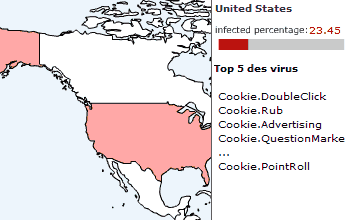
Real time threat map by Bitdefender®. View live attacks, infections, spam worldwide. Bitdefender Threat Map.
If you have any suggestions, questions, or have any ideas, please feel free to contact us by filing out our suggestion box on the feedback page.
If you have related suggestions, questions or comments please use our support form.
The #1 browsing data cleaner for Google Chrome™ web browser. Cleaner for Chrome.
The best browsing data cleaner for MS Edge™ web browser. Cleaner for Edge.
The easy way to delete your browsing history and private data on Firefox …
The fast, free and powerful history eraser. Deletes browsing history in a second or two. History Eraser.
A powerful and easy-to-use Cookie Editor …
Monthly calendar theme inspired by Click&Clean. Get Theme-Calendar 2020.
Stop spying on your Google Account and prevent third-party apps from accessing your Google account. Security Checkup.
Why your webcam security matters? Should you cover your webcam? Secure Your Webcam.
Free Wi-Fi hotspots are available in many public areas. The risks of public Wi-Fi and how to protect yourself while using free public Wi-Fi.
Test your search quality. Show results for Click&Clean.